Build the business baseline
Enter owner field pay, labor, annual overhead, route capacity, vehicle assumptions, equipment wear, and payment fees.
Quoturf v1.0.1 · offline lawn-care pricing software
Move from a quick check to recurring stops you can return to. Save each stop’s assumptions, review route totals, and compare estimates with completed-visit observations—all in one offline workspace.
Desktop ZIP download · use current Chrome, Edge or Firefox
US$19 one time · no subscription · 14-day fit guarantee. Checkout and download access are provided by Lemon Squeezy. Applicable taxes are calculated at checkout.
About the demo: it also shows Cost Builder, a separate companion tool that is not included in this purchase.
Review the license, guarantee, and support terms →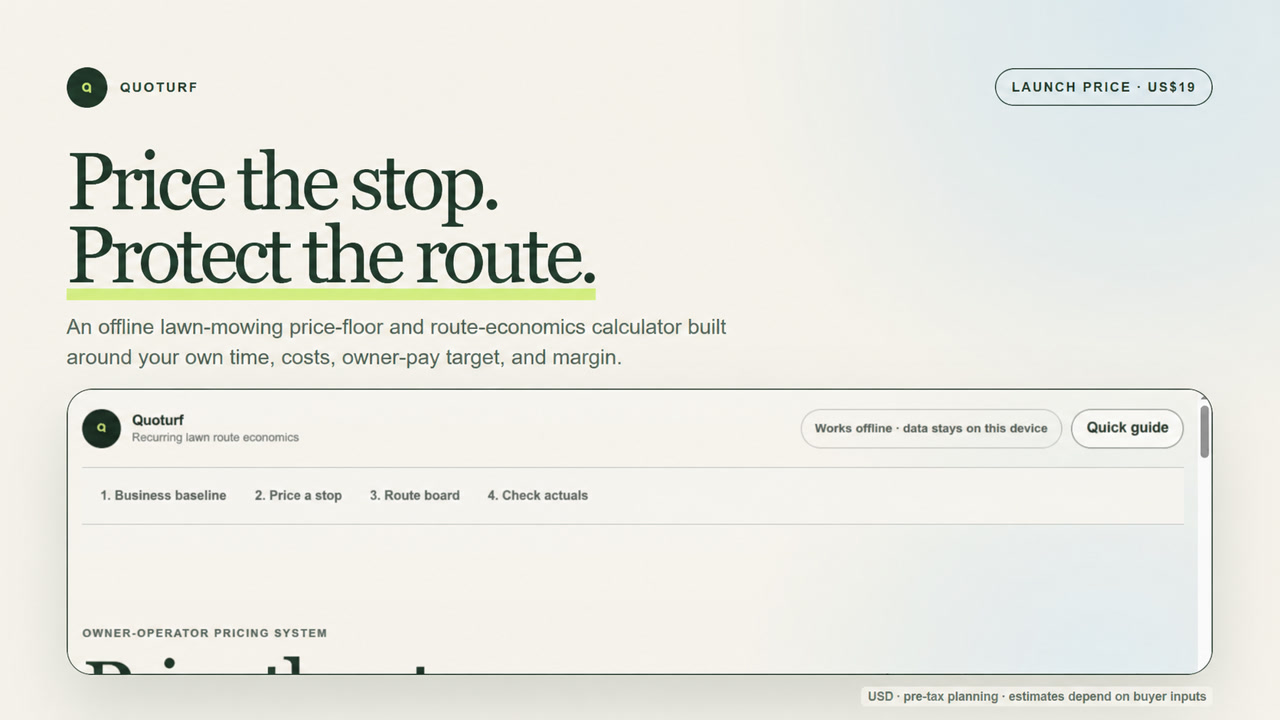
Free tools or the paid download?
Keep using the free calculators for a quick price or route check. The paid download is for lawn-care owner-operators who want to keep individual recurring stops together and revisit their assumptions.
| Your task | Free website calculators | Quoturf download · US$19 once |
|---|---|---|
| Check a cost-based price | One recurring stop, or a route scenario using average stop inputs. | Individual saved stops and their route-level results. |
| Return to your work | No saved-stop workspace on the website. | Save stops and route/day groups in your local browser profile. |
| Review completed visits | Change the inputs to try another estimate. | Compare estimates with measured-average visit observations. |
| Keep a copy | No route-backup export. | Export and import JSON backups; print a review or save it as a PDF. |
| Get started | Open in your browser. No signup or purchase. | Download and extract the ZIP, open index.html, and follow the sample route and buyer guide. |
Website inputs do not transfer automatically to the download. Enter your own records there, and export backups regularly. There is no cloud account or automatic sync between devices.
The connected workflow
Enter owner field pay, labor, annual overhead, route capacity, vehicle assumptions, equipment wear, and payment fees.
Count on-site minutes, access and setup, allocated drive time, direct costs, planned visits, and the current customer price.
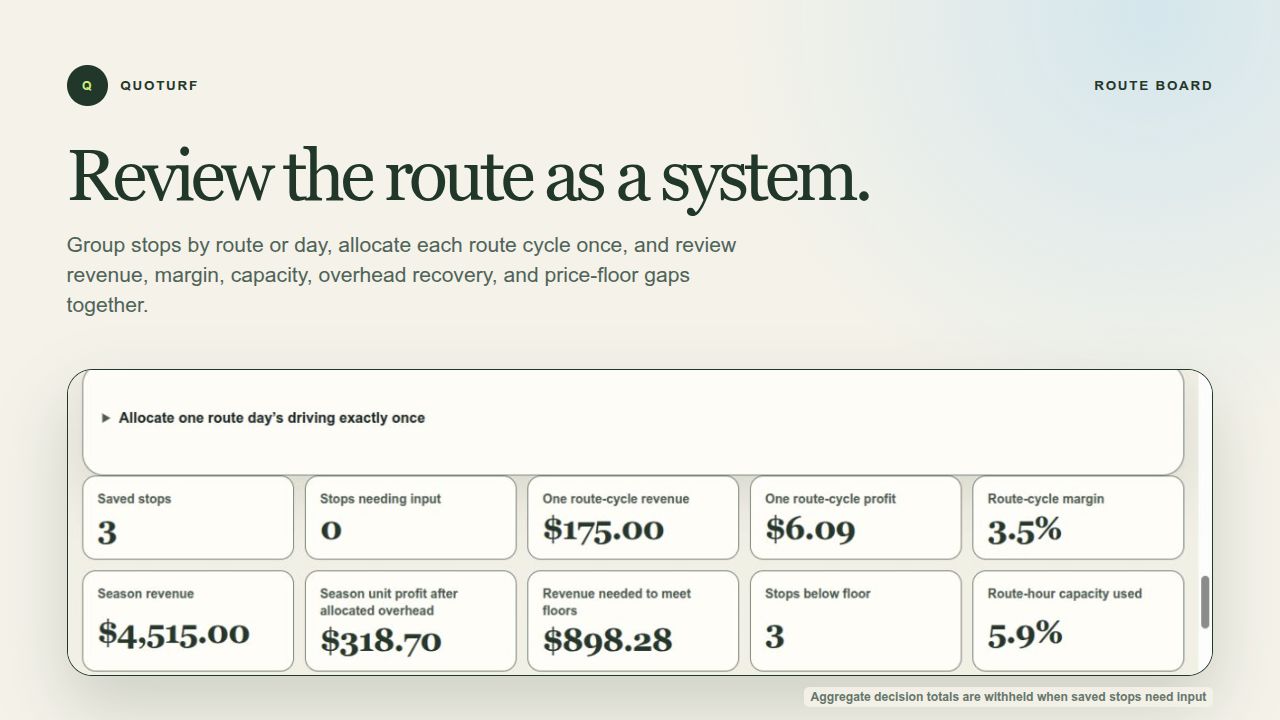
Compare saved stops, route-cycle revenue, modeled results, overhead recovery, and clearly labeled status flags.
Record repeatable completed-visit time and cost observations to see where the original assumptions need attention.
More than a single-job calculator
Give each saved stop a route/day group, then review how time, customer prices and entered costs combine. Route-density scenarios and annual-overhead recovery help you inspect assumptions before changing a price or route.
Clear limits
Quoturf does not decide what a customer will pay, generate a customer-facing quote, optimize driving directions, run payroll, or replace accounting advice. Results depend entirely on the inputs and assumptions supplied by the operator.
If you need dispatching, invoicing, customer-facing quotes, automatic route directions or shared cloud records, this download is not a replacement for those tools. Its job is cost-based planning for recurring residential lawn-mowing work, in USD.
International customers are welcome in Lemon Squeezy’s supported countries. Pricing remains in USD. The current tools use USD and do not convert currencies or calculate local taxes. The paid download uses miles, with no kilometre setting.
Read the methodology and limitations →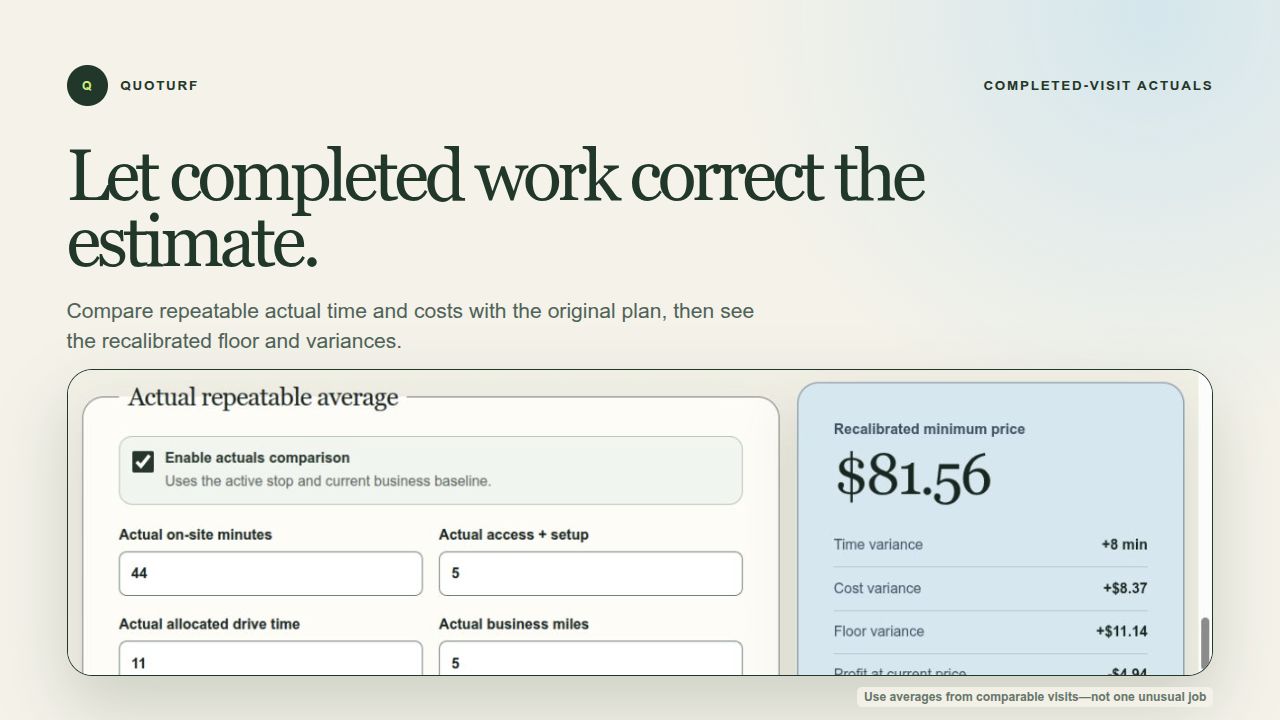
From purchase to first price check
Complete the one-time purchase through Lemon Squeezy, then use Download Quoturf in your receipt email to reach your order’s file download. The license covers your own household or one business.
Download Quoturf v1.0.1 from your order access page, extract it to one folder, and read START-HERE.txt. Keep the included files together.
Double-click index.html in the extracted folder. Use the sample route and buyer guide before replacing the example inputs with your own records.
Export a backup regularly, especially before clearing browser data or changing devices. The download includes the license and support/refund terms.
Before you buy
No. The free stop calculator and free route calculator remain available without signup or purchase. Buy only if you need the saved-stop workspace and review tools described above.
Quoturf v1.0.1 includes the offline route-economics calculator, sample route, buyer guide, local backup tools, printable review, license, support terms, release notes, and technical quality report.
No. Cost Builder appears in the demonstration as a separate companion tool. It is not included in the US$19 Quoturf download.
Download and extract the entire ZIP to one folder, then open index.html in a current desktop version of Chrome, Edge, or Firefox. Keep the included files together. Desktop download and extraction are recommended.
No. This is a desktop download, not a hosted account or a mobile app. Use current desktop Chrome, Edge or Firefox. Safari may open the files, but saved-data persistence for downloaded files has not been verified. Transfer work between devices using exported backups; there is no automatic cloud sync.
The calculator runs locally and saves its working data in that browser profile. Quoturf has no product account, analytics, advertising, or network requests. Export portable backups before clearing browser data or changing devices.
Check the email address used at checkout for your Lemon Squeezy receipt, then use its Download Quoturf link. Extract the whole ZIP before opening index.html. For help, email support@quoturf.com with your order number, browser and the step that failed. Do not send customer data, passwords or payment-card information.
The purchase covers the purchaser’s own household or one business. Support covers download, opening, backup, feature-location, and plain-language calculation questions. If it is not a fit, email support@quoturf.com within 14 calendar days with the order number to request a full refund. Read the full purchase terms.
Need a workspace you can return to?
Includes the offline calculator, sample route, buyer guide, and local backup tools. If it is not a fit, email support@quoturf.com within 14 calendar days with your order number to request a full refund. No customer data or proof of financial loss is required. Read the purchase terms.